
AI Customer Support Integrations for the tools your team already uses
IrisAgent plugs into your helpdesk, CRM, engineering tools and chat platforms with no-code installs. Go live in under 24 hours and start auto-resolving tickets, tagging, and deflecting support volume with AI.








AI that works inside the tools your support team already runs
The fastest way to get value from AI customer support is not to replace your stack. It is to add AI to it. IrisAgent connects to your helpdesk, CRM, knowledge base, and engineering tools with no-code installs, grounds every answer in your own data, and takes real action back in those systems. Your agents keep working where they already work, while IrisAgent resolves routine tickets, drafts replies, auto-tags, and routes the rest with full context.
A good integration does three things: it reads your systems of record so answers are grounded and current, it writes back to them so the AI resolves rather than just deflects, and it respects your identity and permissions so nothing leaks. Explore the connectors below by category, or go straight to a connector: Zendesk, Salesforce, Intercom, or Freshworks. The table below covers every integration. Not sure where AI fits yet? Start with the AI customer supportoverview.
What a connected stack actually returns: IrisAgent runs past 1 million tickets per month across Fortune 500 support teams, holds validated accuracy above 95%, and keeps hallucination under 5% against the 15 to 30% typical of ungrounded models answering from training data. At Dropbox the deployment saved 160,000 agent minutes and cut average handle time by two minutes per ticket. None of that required replacing a help desk. The install is no-code and permissioned, grounding on your knowledge base and ticket history happens automatically once connected, and the first automated resolution usually lands the same day. Teams that start narrow, on two or three high-volume intents, and expand as resolution rates hold, get to 60%+ automation faster than teams that switch everything on at once.
What each IrisAgent integration does
Every row below is a live connector, not a logo. Use this table to pick a starting helpdesk, then add engineering and channel tools once resolution holds.
| Integration | What IrisAgent does there | Go-live |
|---|---|---|
| Zendesk | Agent assist, auto-tagging, and a grounded chatbot inside the Zendesk workspace your agents already use. | Marketplace install, under 24 hours |
| Salesforce Service Cloud | Resolves and assists on Service Cloud cases and Messaging without moving you off Salesforce. | AppExchange, under 24 hours |
| Intercom | Grounded replies, summaries, and high-confidence deflection in Intercom Inbox. | App Store, under 24 hours |
| Freshworks | Agent assist and resolution on Freshdesk and Freshchat tickets. | Marketplace, under 24 hours |
| HubSpot Service Hub | AI assist and IrisGPT on HubSpot tickets, with write-back to the CRM record. | No-code connect, under 24 hours |
| Zoho Desk | Ticket resolution and chatbot for Zoho Desk queues. | Marketplace, under 24 hours |
| Gorgias | Resolution with live Shopify context inside Gorgias, for WISMO, returns, and refunds. | No-code connect, under 24 hours |
| Shopify | Pulls live order, product, and customer data so the AI can resolve commerce tickets instead of guessing. | Connects through your helpdesk |
| Jira | Correlates support tickets with Jira issues so agents see the bug, not just the complaint. | OAuth connect |
| GitHub | Links GitHub issues and PRs to the customer tickets they caused. | OAuth connect |
| PagerDuty | Surfaces live incidents next to the tickets they are generating. | Marketplace listing |
| Slack | Internal AI helpdesk for IT, HR, and support questions where the team already works. | Slack app install |
| Microsoft Teams | Enterprise assistant installed from Teams Admin Center, same grounding as the helpdesk bot. | Admin Center install |
| Customer-facing AI on WhatsApp through Zendesk Sunshine Conversations or Salesforce Messaging. | Through your existing helpdesk channel | |
| Twilio | AI agents for text via a customer Twilio number or an IrisAgent-managed US number. Connect is not A2P approval. | Deploy, Text channels |
How an integration goes live in 24 hours
- Install from the helpdesk marketplace or a no-code connector. Agents stay in Zendesk, Salesforce, Intercom, Freshworks, HubSpot, Zoho Desk, or Gorgias.
- IrisAgent reads the connected knowledge base and ticket history automatically. No separate training project. Add Jira, GitHub, or PagerDutywhen you want product and incident context on the same ticket.
- Start on two or three high-volume intents. Turn on write-back so the AI resolves in your system of record instead of ending a chat. Expand Slack, Microsoft Teams, Shopify, or WhatsApponce those intents hold.
Customer Support & Helpdesk
Deploy IrisAgent inside the helpdesk your agents already use, no migration required.
Zendesk
Agent assist, auto-tagging & IrisGPT chatbot
Learn moreSalesforce Service Cloud
AI resolutions inside Service Cloud & Messaging
Learn moreIntercom
Grounded replies, summaries, and high-confidence deflection
Learn moreFreshworks
Freshdesk & Freshchat AI agent assist
Learn moreHubSpot Service Hub
AI agent assist & IrisGPT for HubSpot tickets
Learn more
Zoho Desk
AI ticket resolution & chatbot for Zoho
Learn moreGorgias
AI resolution & Shopify context inside your Gorgias helpdesk
Learn moreKnowledge Hub & Identity
IrisGPT ingests your knowledge sources and respects your identity provider out of the box.

Ticketing System KB
Train on Zendesk, Salesforce, HubSpot, Freshdesk & Intercom KBs
Learn more
Public & Private Websites
Crawl marketing sites, help centers & auth-gated portals
Learn more
Files
PDFs, Word, PowerPoint & Markdown uploaded to IrisAgent
Learn more
Atlassian Confluence
Index internal Confluence docs for IrisGPT
Learn more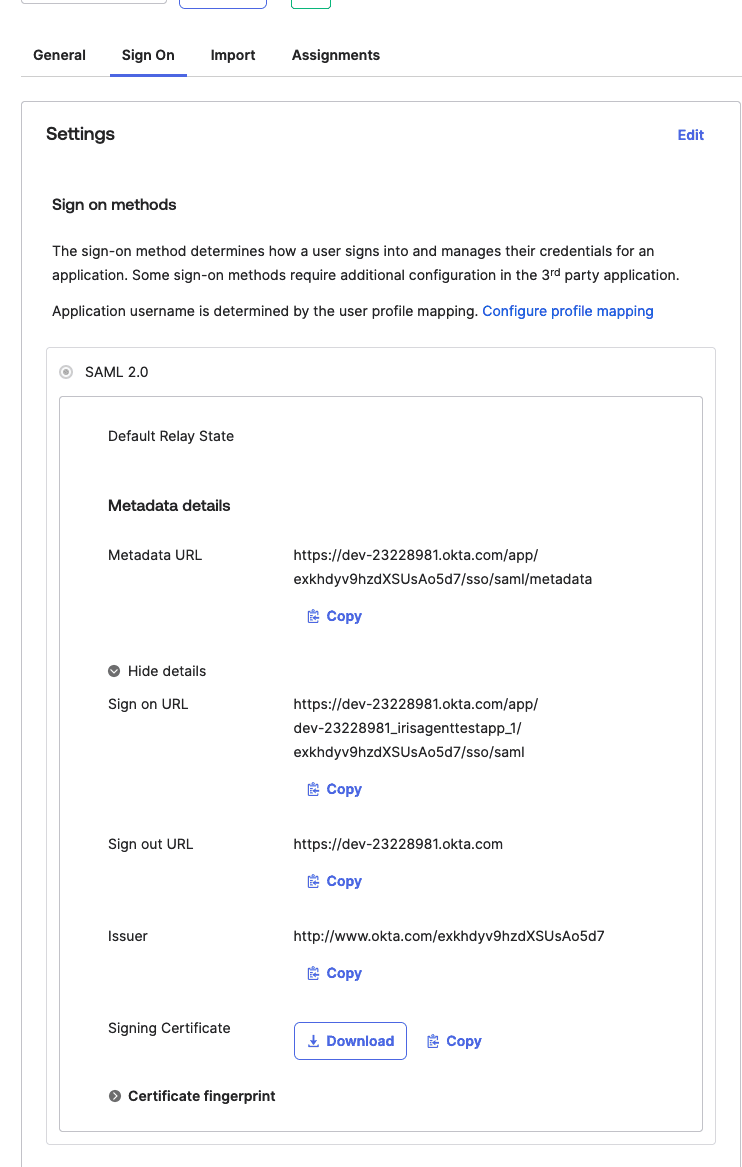
Okta
SAML SSO & provisioning for IrisAgent
Learn moreProduct, DevOps & Incident Management
Connect tickets to product signals, bugs and incidents for faster resolution.
Jira
Auto-correlate tickets with Jira issues
Learn morePagerDuty
Surface live incidents next to support tickets
Learn more
GitHub
Link GitHub issues and PRs to customer tickets
Learn more
Datadog
Monitor & correlate errors with support volume
Learn more
Sentry
Map customer tickets to Sentry error events
Learn moreCollaboration & Internal Helpdesk
Bring IrisGPT where your team already works, instant answers in chat.
Ecommerce & Commerce Platforms
Bring live order, product and customer data into every support conversation.
Customer Messaging Channels
Put an AI agent on the channels your customers already prefer, including text.


Quick
no-code setup

Supports all
major languages

Easily
customizable
Integrations FAQ
How do IrisAgent integrations work?
IrisAgent installs on top of the helpdesk, CRM, and chat tools you already run, with no-code connectors. It reads your tickets, knowledge base, and customer records to ground its answers, and it takes action back in those systems (resolving, tagging, routing, and updating records) without you re-platforming. Most integrations go live in under 24 hours.
Which helpdesks and CRMs does IrisAgent integrate with?
IrisAgent connects natively to Zendesk, Salesforce Service Cloud, Intercom, Freshworks (Freshdesk and Freshchat), HubSpot Service Hub, Zoho Desk, and Gorgias for support and CRM. It also connects to engineering and collaboration tools like Jira, GitHub, PagerDuty, Slack, and Microsoft Teams, plus channels like WhatsApp, Twilio for AI agents on text, and Shopify for commerce context.
Do I have to replace my current helpdesk to use IrisAgent?
No. IrisAgent is designed to layer onto your existing stack rather than replace it. Your agents keep working in the same helpdesk while IrisAgent adds AI resolution, agent assist, auto-tagging, and deflection inside that tool. There is no migration and no rip-and-replace.
How long does an integration take to set up?
Most teams are live in under 24 hours. Connecting a helpdesk or CRM is a no-code, permissioned install; grounding the AI on your knowledge base and historical tickets happens automatically once connected. You can start on a narrow set of intents and expand as resolution rates hold.
What if the tool I use is not listed?
IrisAgent adds connectors regularly and can build integrations for tools not yet listed. If your helpdesk, CRM, or data source is missing, request it during a demo and the team will scope it. IrisAgent also ingests public and private websites, files, and ticketing knowledge bases directly.
Which platforms integrate AI chatbots with existing customer communication software?
IrisAgent installs directly into Zendesk, Salesforce Service Cloud, Intercom, Freshworks, HubSpot Service Hub, Zoho Desk, and Gorgias, plus messaging channels including WhatsApp, Slack, Microsoft Teams, and Twilio for AI agents on text. The AI runs inside the tool your agents already use, so there is no separate chat widget to maintain and no migration. Most connections go live in under 24 hours.
Does IrisAgent push call transcription and summaries back into a CRM or help desk?
Yes. IrisAgent writes back to the systems it reads from. Voice and chat conversations produce transcripts and summaries that land on the ticket or record in Zendesk, Salesforce, Intercom, Freshworks, or HubSpot, alongside auto-applied tags and routing. Writing back is what separates resolution from deflection: the AI closes the loop in your system of record instead of ending a session.
Ready to transform your support stack?
Most teams are live with IrisAgent in under a day. No rip-and-replace. Bring AI to the tools you already love.