
AI Agents for Text on the Helpdesk You Already Have
They text people who asked to hear from you. They answer when someone texts in. Procedures run a personalized conversation on the helpdesk overlay you already use.
They text people who asked to hear from you. They answer when someone texts in. Procedures run a personalized conversation on the helpdesk overlay you already use.
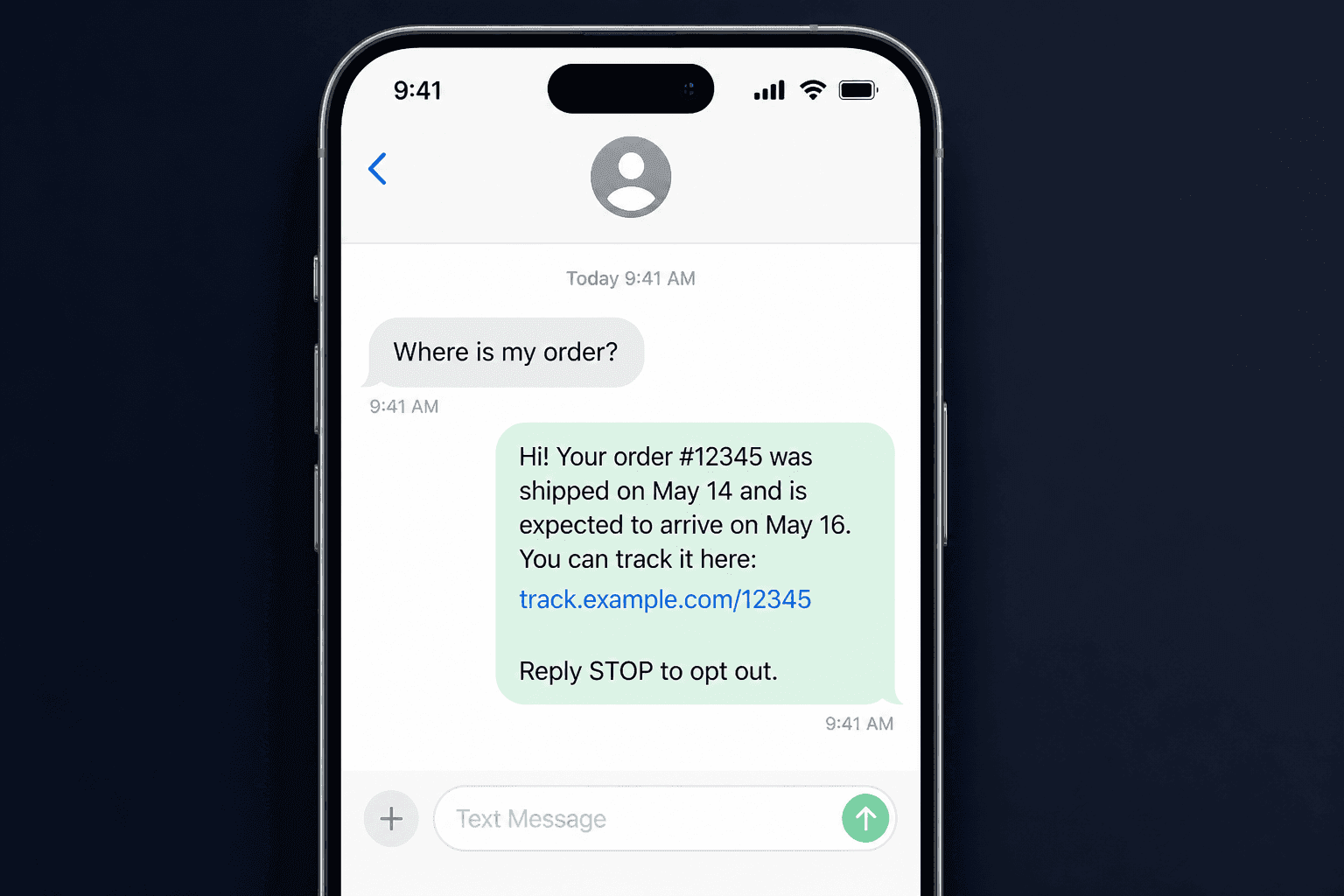
57 seconds. An outbound delay notice goes out, the customer replies with an order number, the agent sends tracking back, and an inbound text is resolved in the helpdesk overlay your team already uses.
What AI Agents for Text Are
IrisAgent AI agents for text run on SMS as an extra channel on the AI customer support platformyou already evaluated. They send proactive outbound campaigns to opted-in US lists, and they resolve inbound customer texts. The same agent is grounded on your knowledge base, ticket history, and Smart Operating Procedures.
This is overlay, not a new inbox. When a customer replies, the thread sits next to the ticket in Zendesk, Salesforce, Intercom, Freshworks, HubSpot, or the rest of the stack you already run. See the live connector table on IrisAgent integrations, including the Twilio row for text.
It is not Voice AI. Voice answers and places phone calls. Text is a separate channel. Do not reuse a Voice procedure as a text campaign.
This is overlay, not a new inbox. When a customer replies, the thread sits next to the ticket in Zendesk, Salesforce, Intercom, Freshworks, HubSpot, or the rest of the stack you already run. See the live connector table on IrisAgent integrations, including the Twilio row for text.
It is not Voice AI. Voice answers and places phone calls. Text is a separate channel. Do not reuse a Voice procedure as a text campaign.
Outbound Campaigns to Opted-In Lists
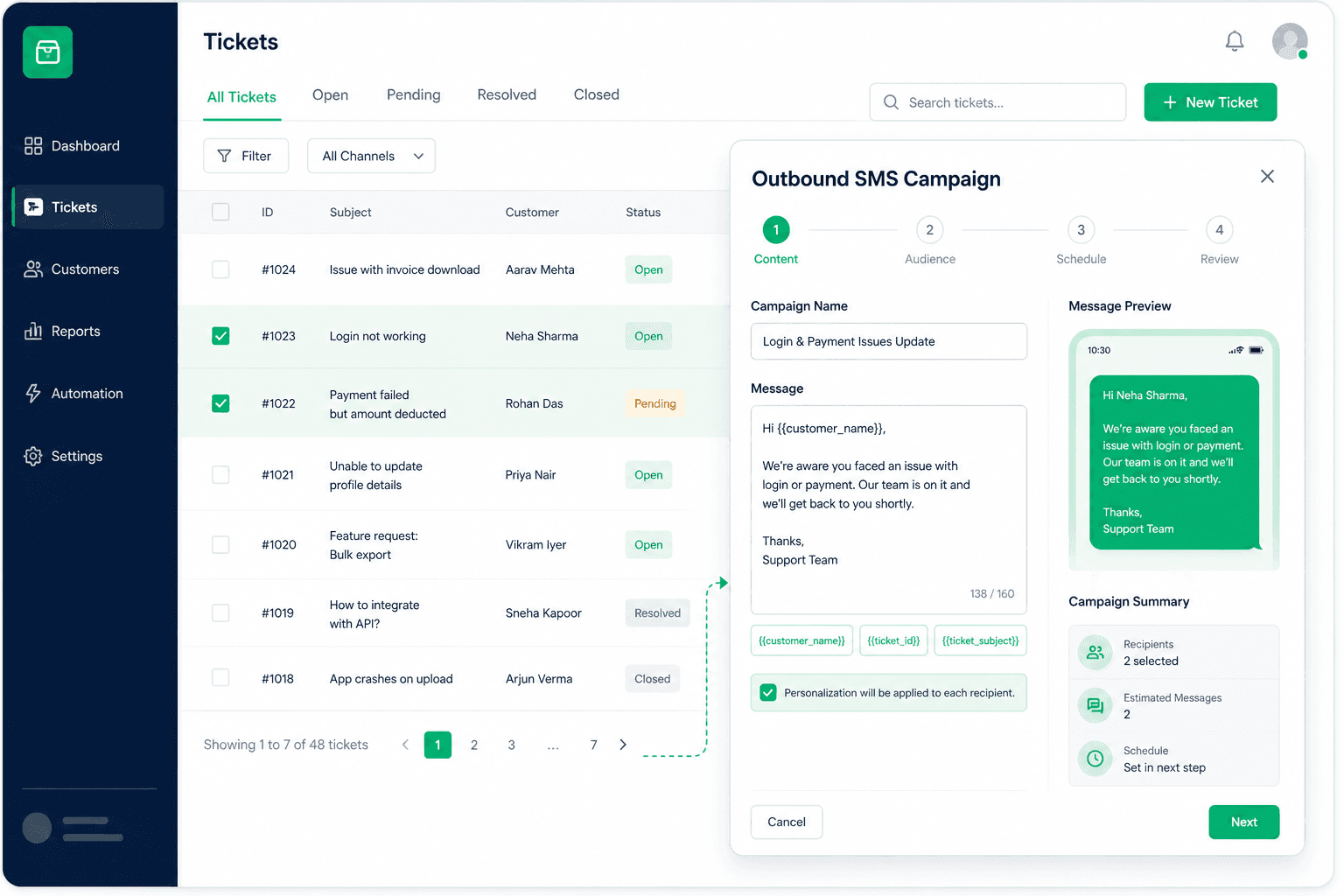
Text people who explicitly agreed to receive texts from your business. A prior purchase, a support ticket, or having a phone number is not SMS consent. US numbers only. A campaign can include up to 1,000 unique recipients. Include STOP language such as Reply STOP to opt out.
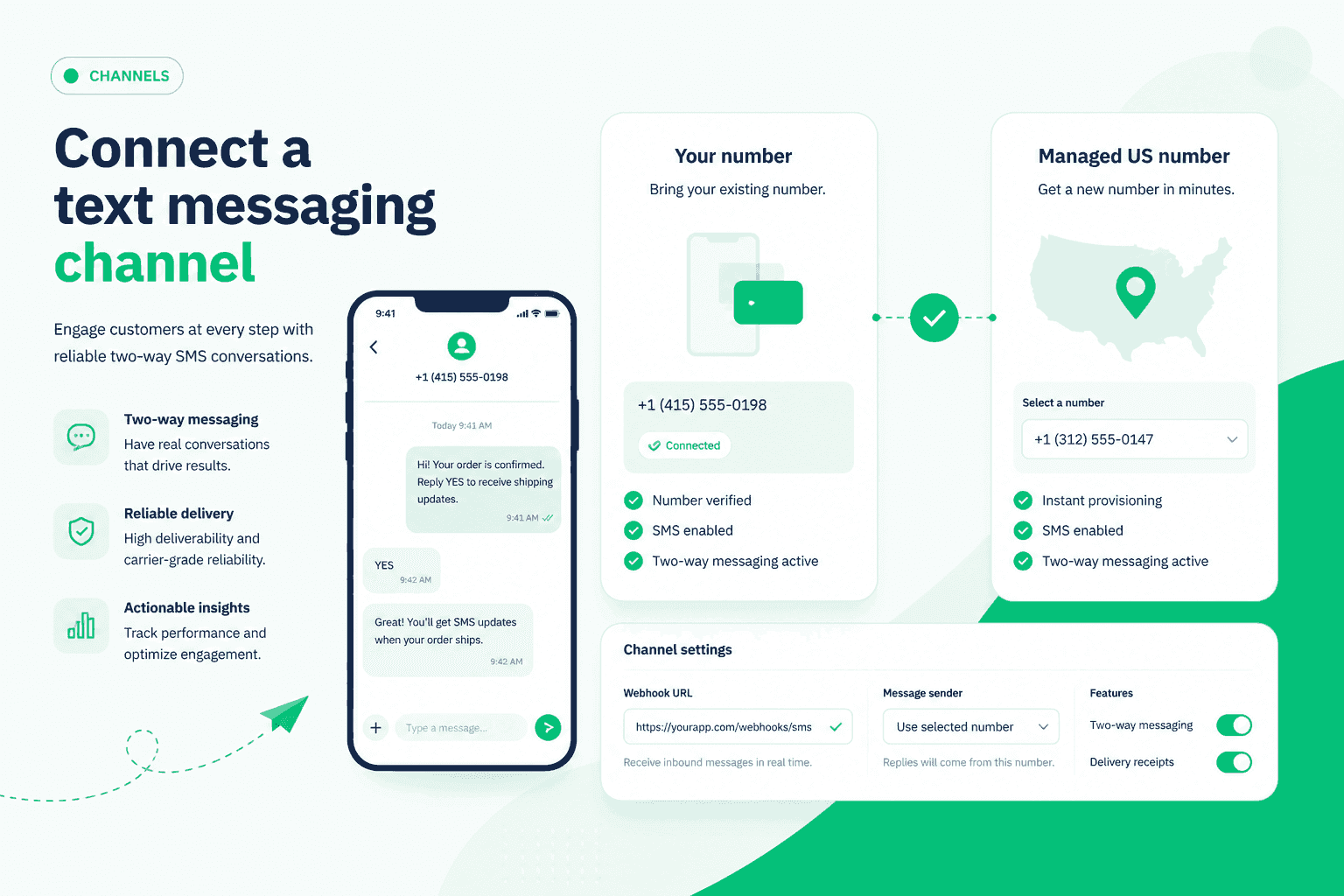
Connect the Twilio number you already own, or request an IrisAgent-managed US number. You keep 10DLC, A2P registration, consent records, and Twilio billing on a customer-owned number. Connecting a number is not A2P approval. Number path and registration live on the Twilio integration page. Campaigns live under Outbound. Setup is Deploy, then Text channels; full steps stay in the text channel docs.
Twilio integrationConnect the Twilio number you already own, or request an IrisAgent-managed US number. You keep 10DLC, A2P registration, consent records, and Twilio billing on a customer-owned number. Connecting a number is not A2P approval. Number path and registration live on the Twilio integration page. Campaigns live under Outbound. Setup is Deploy, then Text channels; full steps stay in the text channel docs.
Inbound SMS on the Helpdesk Overlay
When a customer texts in, the same grounded agent answers from your knowledge and procedures, then hands off in the helpdesk your team already uses. Not a second inbox. Not a blast tool bolted onto a ticket.
If you run Zendesk today, the overlay pattern is the same family as the Zendesk integration. House form for Freshworks (not Freshdesk) is the Freshworks integration.
If you run Zendesk today, the overlay pattern is the same family as the Zendesk integration. House form for Freshworks (not Freshdesk) is the Freshworks integration.
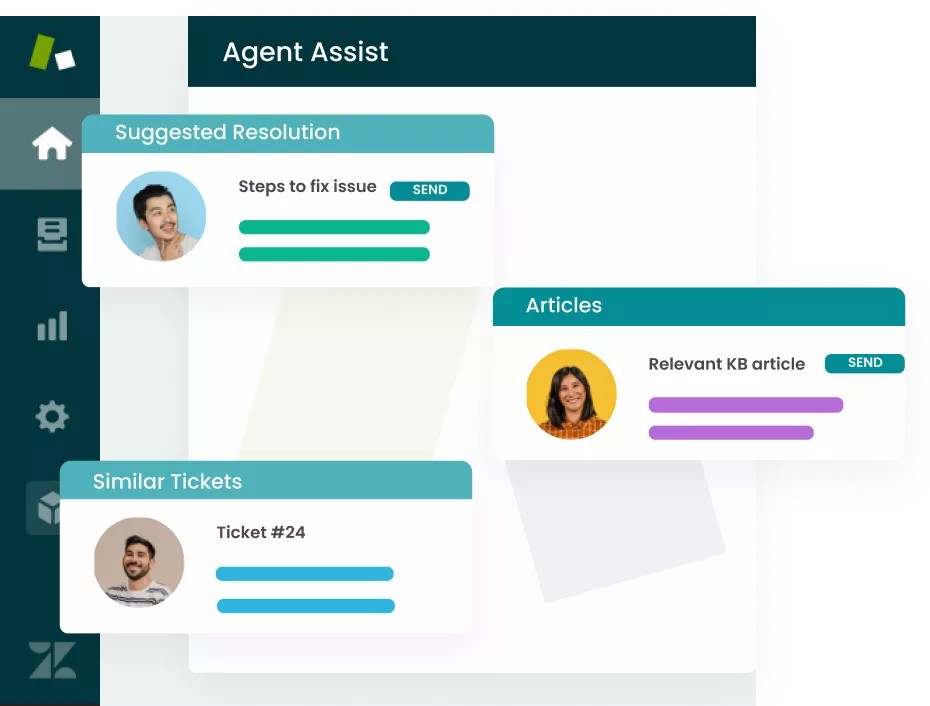
Run personalized conversations on the text channel you already have
Any questions?
We got you.