
Salesforce Integration Jira: Break Cross-Functional Siloes
Bridging the Gap Between Customer Support and Engineering
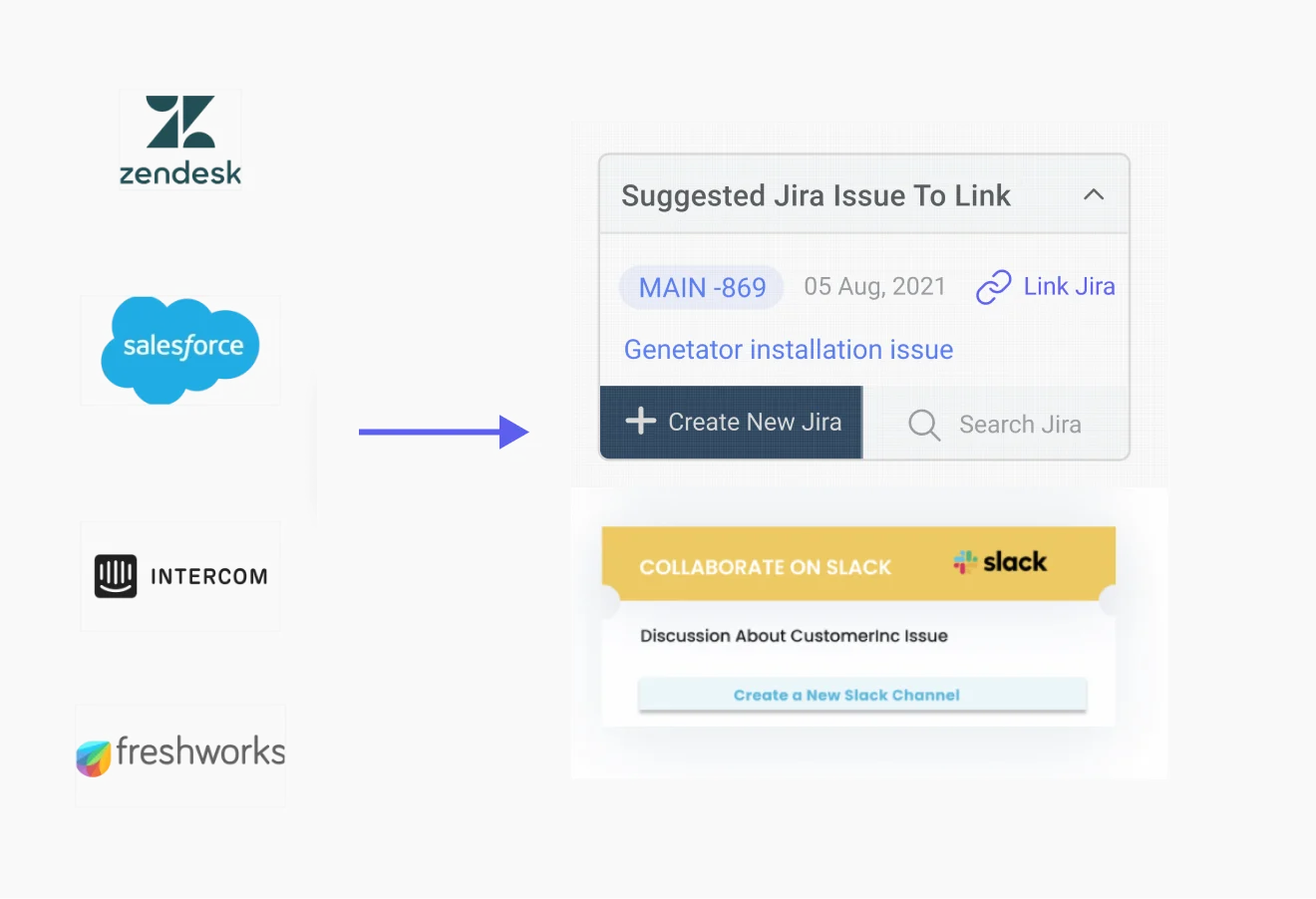
Customer support teams often lack awareness of product changes that the engineering and R&D teams are implementing. Conversely, engineering teams frequently remain uninformed about the impact of their work on business operations and customer support. Support teams typically use platforms like Zendesk Support, while engineering teams rely on Jira Software for tracking their tasks. To improve collaboration and information flow, a Zendesk-Jira integration using tools like IrisAgent is essential. This integration enables seamless data sharing and enhances cross-functional teamwork.
Why Integrate Zendesk and Jira?
Integrating Zendesk and Jira is vital for fostering collaboration between customer service and product development teams. This integration allows real-time visibility into the progress of customer-related tasks and helps in triaging support tickets. Jira integration enables automatic creation of linked issues from tickets and synchronization of multiple tickets to a single Jira issue. It enhances the customer experience by ensuring timely issue resolution. For example, it enables automatic creation of linked issues from support tickets and syncs multiple tickets to a single Jira issue, reducing manual workload.
Consider a scenario where a bug in the login service is causing multiple support tickets. Without integration, the support team might create new Jira issues for each ticket, increasing the engineering backlog and delaying resolutions. With integration, support can link tickets to existing Jira issues, making the engineering team aware of the problem’s scope and business impact.
Streamlining Workflows Through Automated Integration
Support cases often disappear into a black hole once escalated to engineering, leaving support agents without updates. A robust Jira-Zendesk connector creates automated workflows, keeping support agents and customers informed about updates on relevant issues by managing and syncing Jira tickets. This automation eliminates the need for manual status updates, ensuring real-time data synchronization and complete alignment among teams, ultimately delivering exceptional customer support.
How to Integrate Jira with Zendesk
Step-by-Step Integration Process
Mapping Workflows and Data Fields: Analyze existing workflows in both Jira and Zendesk. Identify key data fields for synchronization and create a mapping document to guide information flow between systems.
Establishing Data Synchronization Protocols: Define synchronization rules and protocols to maintain data accuracy. Set up the integration to link Zendesk tickets to Jira issues, allowing efficient ticket management. The Zendesk Support for Jira integration involves configuring authentication, managing app settings, and controlling label availability to ensure seamless synchronization.
Testing and Validation: Conduct thorough testing in a controlled environment before full deployment. Test data synchronization, workflow automation, and communication channels, addressing any issues beforehand.
Documentation and Training: Develop detailed documentation and provide training sessions for teams to ensure smooth adoption of the integrated system.
Ensuring Continued Integration Success
Monitoring and Maintenance: Implement tools to monitor integration performance, review logs, and conduct scheduled maintenance.
Addressing Evolving Business Needs: Regularly reassess integration configurations to align with changing business requirements.
User Feedback and Iterative Improvements: Encourage user feedback to refine and optimize the integration continuously.
How to Choose the Right Tool for a Jira Zendesk Integration
Choosing the right tool for a Jira-Zendesk integration is pivotal in maximizing the benefits this collaboration can bring to your organization. It involves a careful evaluation of your needs, the capabilities of the integration tools available, and how well they align with your business processes. Here are key considerations to guide your decision:
1. Compatibility and Integration Depth: Ensure the tool seamlessly integrates with both Jira and Zendesk, supporting the versions you use. The depth of integration (whether it allows for simple data exchange or enables complex workflows between the two platforms) is also crucial.
2. Customization and Flexibility: Look for tools that offer customization options to tailor the integration to your specific requirements. The ability to customize fields, workflows administrator permissions, and data synchronization rules is essential for aligning the integration with your business processes.
3. Ease of Use and Implementation: Consider the tool's user interface and ease of setup. A tool that is intuitive and straightforward to implement can significantly reduce the time and technical expertise required, accelerating the benefits realization.
4. Support and Documentation: Adequate support and comprehensive documentation can ease the integration process. Look for tools with a strong support system, including accessible customer service, detailed guides, and an active user community.
5. Cost and ROI: Evaluate the cost of the tool against the potential return on investment. Consider not only the initial cost but also any ongoing fees, such as subscription costs or charges for updates and support. The tool should offer value for money by enhancing efficiency, improving visibility across platforms, or streamlining collaboration.
6. Security and Compliance: Ensure the tool adheres to the necessary security standards and compliance requirements, especially if you handle sensitive data. The integration should not compromise the data integrity or security posture of either system.
7. Future Scalability: Consider whether the tool can scale with your business. It should be able to accommodate growing data volumes, technical users, additional users, or evolving business needs without significant additional investment.
By carefully considering these factors, you can select a Jira-Zendesk integration tool that not only meets your current needs but also supports your organization's growth and evolution.
Overcoming Integration Challenges
Addressing Resistance to Change
Stakeholder Communication: Communicate the benefits of integration clearly and involve key stakeholders early to foster collaboration.
Change Management Strategies: Emphasize phased integration and quick wins to demonstrate tangible benefits.
Ensuring Data Security and Compliance
Data Encryption and Access Controls: Implement robust security measures and comply with industry regulations.
Regular Security Audits: Conduct audits to identify and address vulnerabilities, maintaining a secure integration environment.
Continuous Monitoring and Adaptation
Integration Performance Monitoring: Track performance in real-time and address potential issues promptly.
Adapting to Evolving Workflows: Build flexibility into the integration to accommodate changes in workflows and business needs.
User Training and Support
Comprehensive Training Programs: Offer training to familiarize users with the integrated system.
Responsive Support Channels: Provide dedicated support for user queries and feedback.
Integrating Jira Cloud with Zendesk using IrisAgent
IrisAgent offers an excellent platform for integrating Jira with Zendesk over the cloud, specifically focusing on the seamless handling and integration of Jira data. By connecting the Jira instance with the Zendesk instance, it simplifies the transferring and synchronization of Jira data. This capability allows businesses to easily amalgamate and manage their data, including Jira data, driving better decision-making and business strategies. IrisAgent supports both Jira to Zendesk integration and Jira Cloud and Jira Server integrations, ensuring comprehensive management of Jira data across platforms. As a Jira user, you can add your own comments, set up integrations, manage app settings, sync user lists, and link Jira issues to Zendesk tickets within Jira.
IrisAgent offers a no-code way to integrate Jira and Zendesk with data, making it an ideal solution for businesses looking to leverage Jira data for enhanced collaboration and insight. It’s excellent as it’s flexible and doesn’t require specific skills. It can be set up in minutes and power seamless collaboration in your organization. Sign up today for a demo. To learn more, check out our webinar with support leaders from Zapier, ActiveCampaign, NerdWallet, and IrisAgent discussing the integration of engineering and support platforms, including the strategic use of Jira data.
Frequently Asked Questions
Why integrate Jira with Salesforce Service Cloud?
You should connect Jira with Salesforce Service Cloud to allow for seamless collaboration between software development, and support teams by connecting project management and issue tracking with customer service management and operations.
How does the integration enhance workflow efficiency?
The integration streamlines workflows by enabling real-time information exchange between Jira and Salesforce Service Cloud, reducing manual data entry and ensuring consistency across teams.
What types of information can be synchronized between Jira and Salesforce Service Cloud?
Commonly synchronized data includes customer cases, bug reports, feature requests, and project updates, ensuring that both sales and development teams have access to relevant information for effective collaboration.
Can Jira issues be linked directly to customer cases in Salesforce Service Cloud?
Yes, the integration typically supports bidirectional linking, allowing users to associate Jira issues with Salesforce Service Cloud cases and vice versa for enhanced traceability. With AI platforms such as IrisAgent, you can also enable automatic linking and correlation of customer service tickets and other Jira services and issues.
Can Salesforce create a Jira ticket?
You can create a Jira ticket automatically using Salesforce queries or vice-versa with our Trigger functions.

Loading the form. Prefer email? Reach us at info@irisagent.comor call +1 617 249 3312.